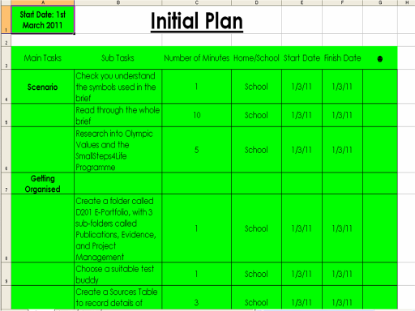
| Initial Project Plan You Can Do It was a big project, and it was very important to plan everything carefully to make sure that we finished everything and met the deadline. Our task at the very beginning was to create a spreadsheet which we would name the Initial Plan. This would contain every single task that would have to be completed throughout this entire course. These were grouped into Main Tasks and Sub Tasks, along with certain things called Checkpoints. A Checkpoint would be a point where we would update our Project Logs and Sources Tables after the work we had just completed. To fit with the colour scheme I have used throughout the project, the colours Blue and Black have been used. |

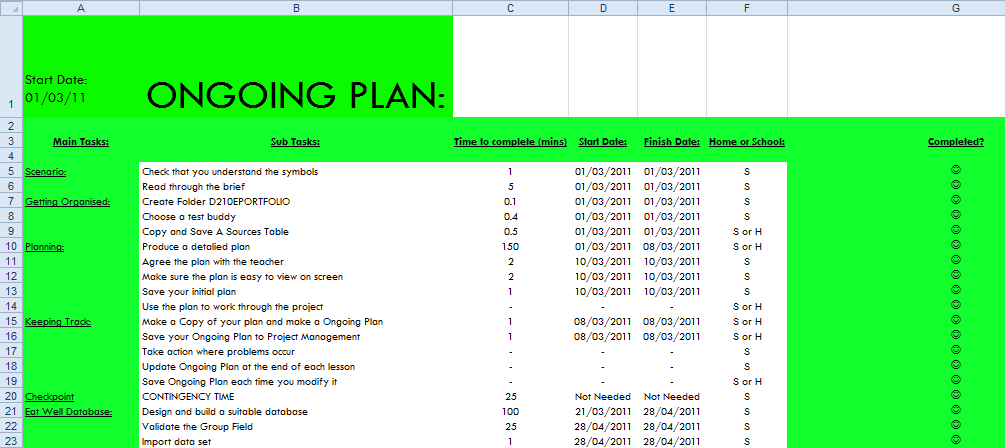
| Ongoing Project Plan Having an Initial Plan was useful for pre-organising our project and settings deadlines, but it was quickly discovered that we would need to track our progress whilst the project was being completed, editing the start and finished dates on the Initial Plan accordingly. Effectively, the Ongoing Plan is a copy of the Initial Plan with modified dates, so that formatting, columns and text were retained. The idea was that as we started and finished tasks, we would edit the start and finish dates of the tasks in the Ongoing Plan. A separate document (a Project Log) was used to track what we did each lesson however in my specific case I chose not to do this as I felt I would stay on track with my Ongoing Plan throughout the course, and add comments in the Ongoing Plan. This hasn't turned out as planned, with multiple dates being missing. More thought went into the look on the Ongoing Plan, and the style has been improved. With a new layout and sizing, I feel the new look is a noticeable addition to my plan. I have recognised that the students won't see the plans, however, if I had time to improve, I would focus more on the aesthetics of the spread-sheets, as there is always room to improve. The final project plan will be filled in as I complete each task, and when I get extar assignments or feedback which requires action. |
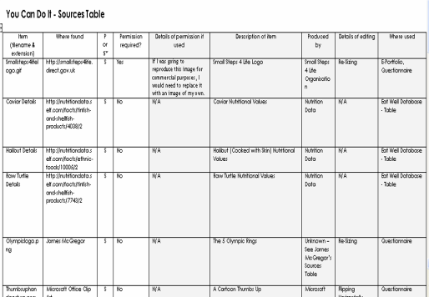
| Sources Table In order to keep track of what images we had used in our publications and where they had all come from, we had a document called a "Sources Table". This is a table in a Word document which let us enter all sorts of important information about the images used in our projects. This included:
Throughout the project, I have tried to keep up to date with my Sources Table to the best of my ability. So far, every image I have used is included in the Sources Table. |

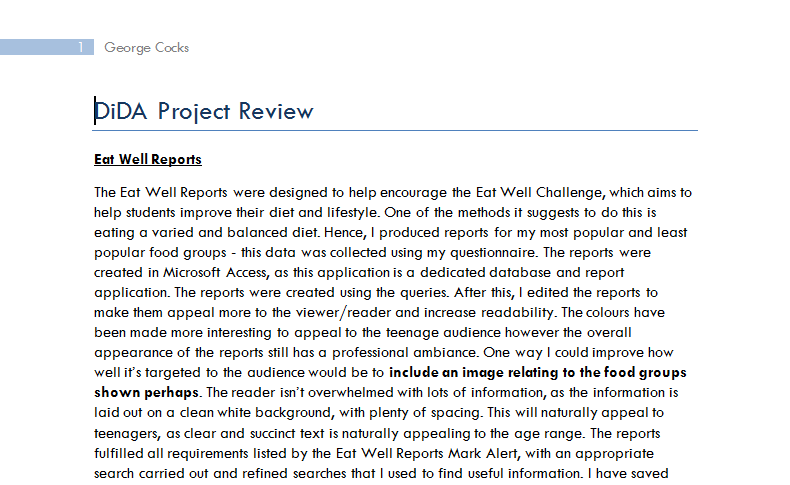
| Project Review Once the project was nearing it's end, it was necessary to summarise and evaluate my own performance throughout the project, describing my reasons behind my decisions in any documents or publications, and suggesting how I would improve given more convenient circumstances. In order to go about this, I needed to ask my teacher and other students in the class to provide critical feedback on my publications, giving pros and cons, suggestions for improvement, etc. This feedback was recorded temporarily to be added to my Project Review later. The Project Review document is comprised of these pieces of feedback and my own personal evaluation of my documents, talking about what I think could be improved and added/removed. The final thing the Project Review is comprised of is my overall progression rate throughout the project. Once this information had been gathered, it was just a matter of piecing it together into one Word document. |
